Why AdSync Makes Amazon Attribution Easier
TL;DR
- We combine Amazon Attribution with Meta Ads data
- We make the data easier to access and understand
Combined with Meta Ads data
Revenue data is not very useful without spend data. You could spend hours copying and pasting numbers from Amazon and Facebook into a spreadsheet, then building formulas. Or you can get it automatically with AdSync. Now you can see the most important metric of all: profit.
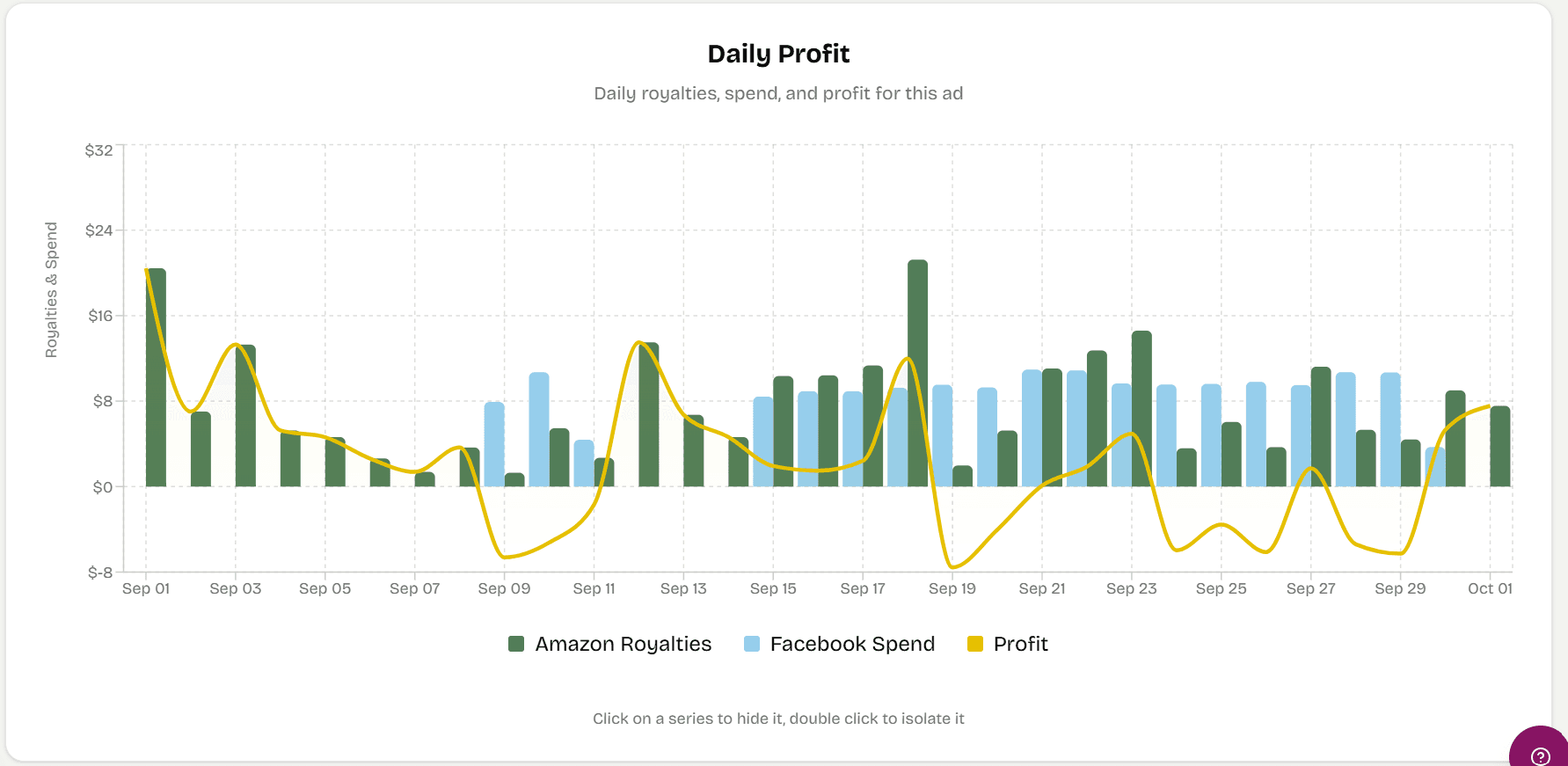
Speaking of copying and pasting, AdSync will check the health of your links between Amazon Attribution and Facebook. I've ruined whole campaigns by pasting the wrong attribution link into a Facebook ad, and I've lost data by using an invalid clickthrough link in Amazon Attribution. AdSync validates your attribution links for peace of mind and helps you quickly correct mistakes.

Easier to access data
If you've made it this far in the Amazon Attribution course, you've heard me complain about broken charts, oddly named metrics, and misleading defaults. I've fixed all of that in AdSync.
See trending data on an individual ad with easy-to-use charts. No weird filters, no hidden thresholds—just the data you need to make decisions.
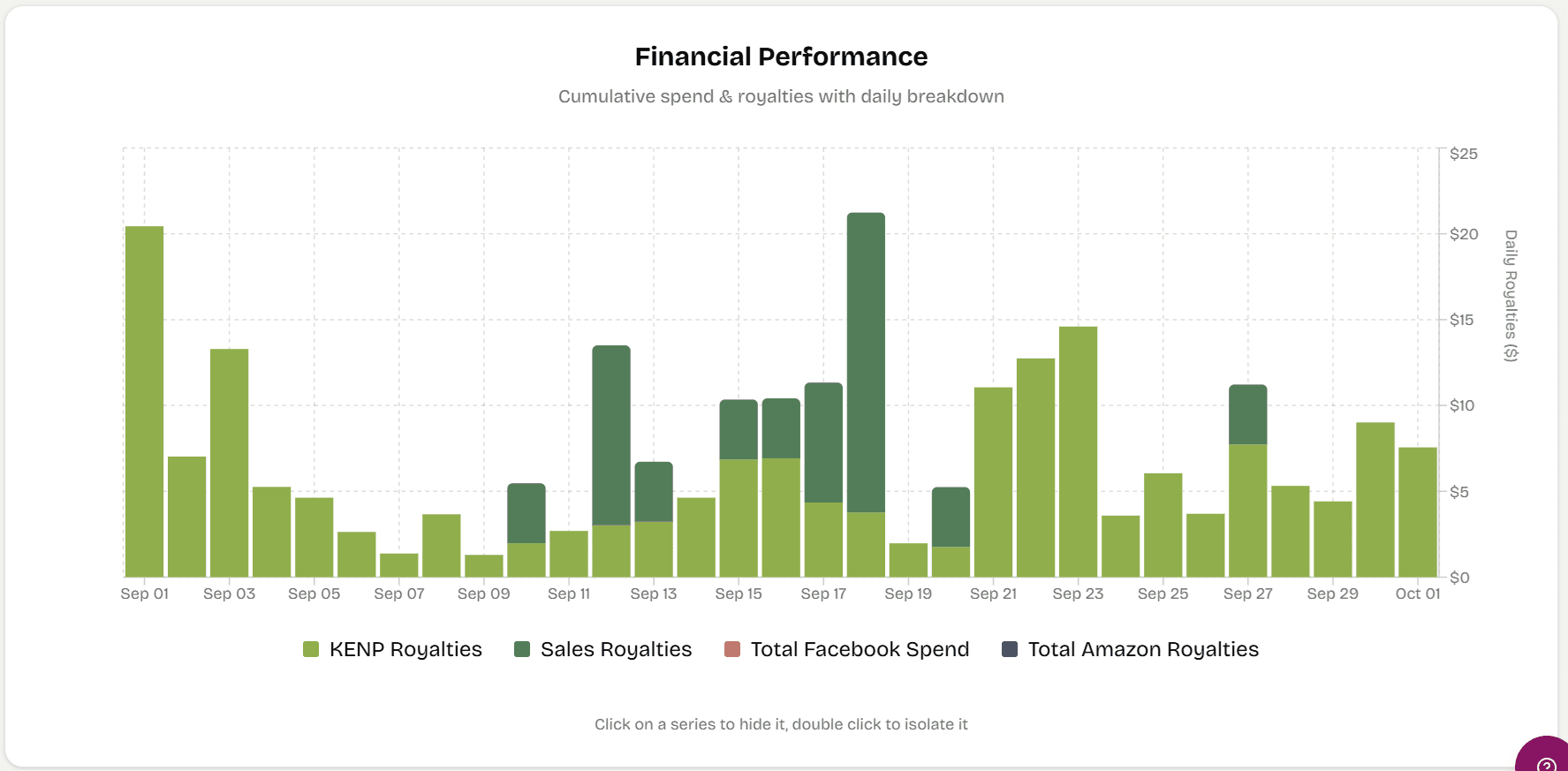
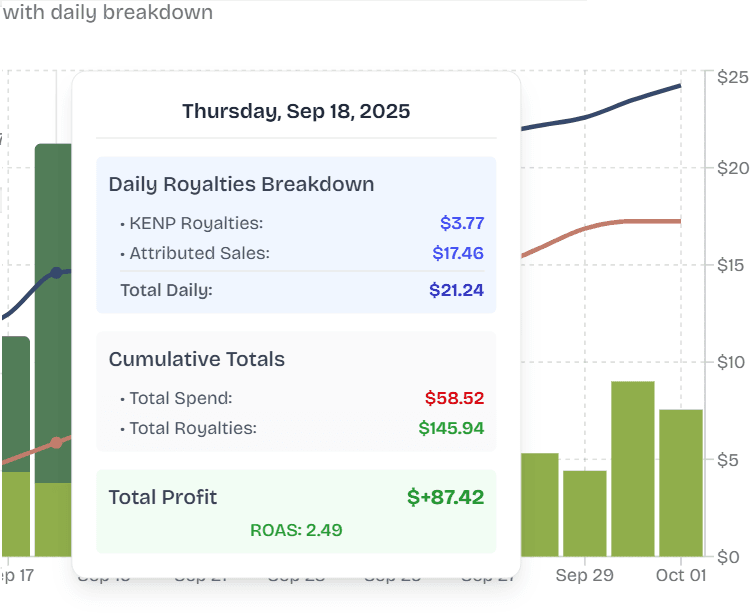
Ad-level trends at a glance Get inline tooltips with clear definitions and formulas so you don't have to guess what a metric means—or leave the page to look it up.
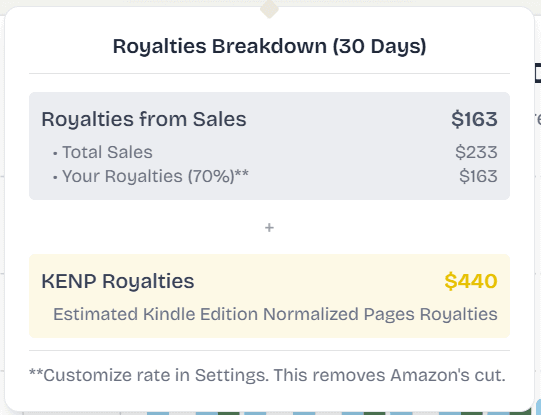
Helpful, inline definitions See already-adjusted numbers. For KDP authors, we report after Amazon's take, so profitability reflects reality. No extra math required.
Already-adjusted numbers